 v2mixer.livev2.com
DIGITIZED as NEW VERSION
- the Effects Play Speed for Video/Audio/Subtitle Editor
- function for
- change the chapter play speed
- the dialog
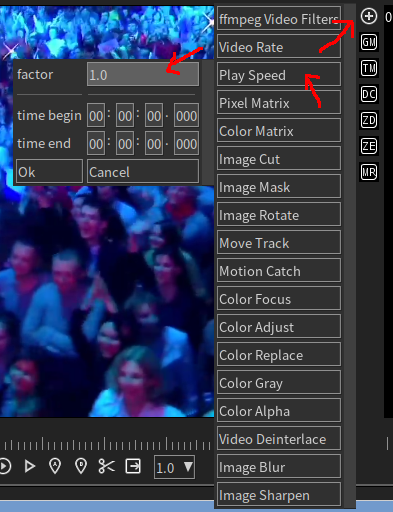
- the parameters
- factor, the value of speed you want change to, for example
- 0.1 mean 1/10 speed
- 2 mean double speed
- examples
- note
- current is work for video only, audio and subtitle is no yet.
- change the play speed will change the chapter time, it before all, for example factor 5, it mean video total time = / 5
- work with time cut (by, to time see setting button)
- as example video 05:00 total time become 01:00
- now set cut the by time set 02:00 the to time set to 03:00, but never hit, because the total time is 01:00
- work with Effect Video Rate
- as example video FPS 30, change to 2, it mean 2 frames per second.
- even play speed up 5x here, still 2 FPS but image come from x5 after.
- wish to get fast 5x time but keep the FPS, should lower the FPS /5 and export as new video file.
- then import to project with this effect 5x.