 v2mixer.livev2.com
DIGITIZED as NEW VERSION
- the Effect Color Replace
- function for
- replace target color to other
- the dialog
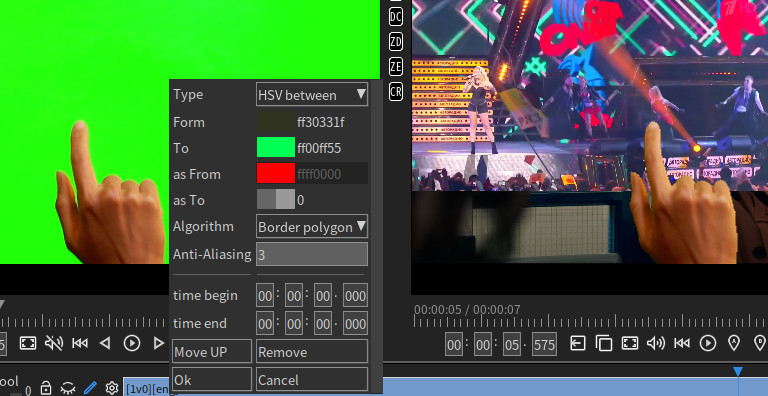
- the parameters
- Type, the replace type, is the target to search
- color is or between, or range map
- the map mean S1 to S2 map to T1 to T2, for example:
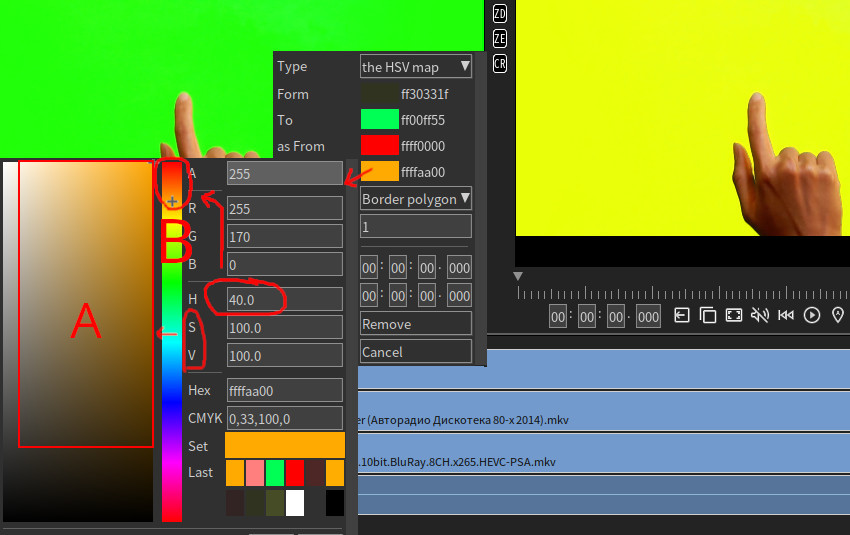
- Green less to Green more map as Red less to Red less+, it will identify how Green, map as how Red
- but the max of Red we limit to less+, so much green got less+ not full red
- for how Green is the From and the To, the H bar(middle, the B in example image) in the color selector
- for how Red to map is the As From and the As To, also H bar
- if Type is the Between, the S,V enabled, will map the source S,V(left, the A in example image) to target(As) S,V
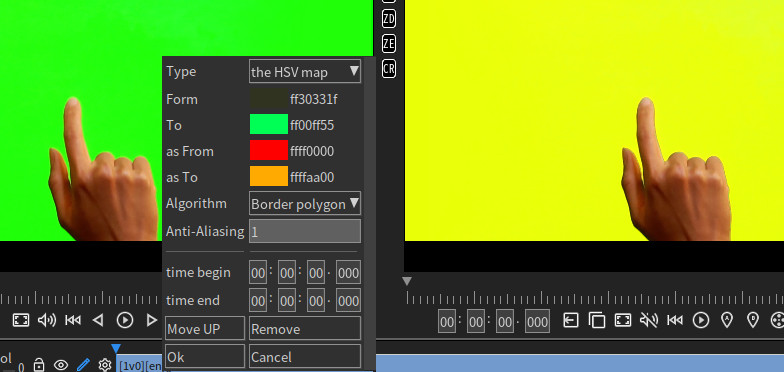
- in this mode, have to select the S,V in from, for example 30,20
- and the To 100,100, v2mixer will scale the source the color saturation(S) and the light(V) map the target saturation and light.
- if Type is the Map, A,H,S,V all got map, see below the note.
- From, the color from begin
- To, the color from end
- may disable if from only one target
- this - Form = B block in color selector example image above
- Yes, the search mode, checked as yes, unchecked as no.
- mean hit or Not = [Form - To] or Not in [From - To].
- as Form, the color map to begin
- may disable if as only one target
- as To, the color map to end
- wish as remove = replace as transparent, is 0 here.
- full transparent is the 0 in color selector, just input 0 to HEX in color selector.
- Algorithm, the target search mode.
- Global, mean search for all.
- all pixels may include some don't want, for example the image in T-shirt
- Border outer, only outer border.
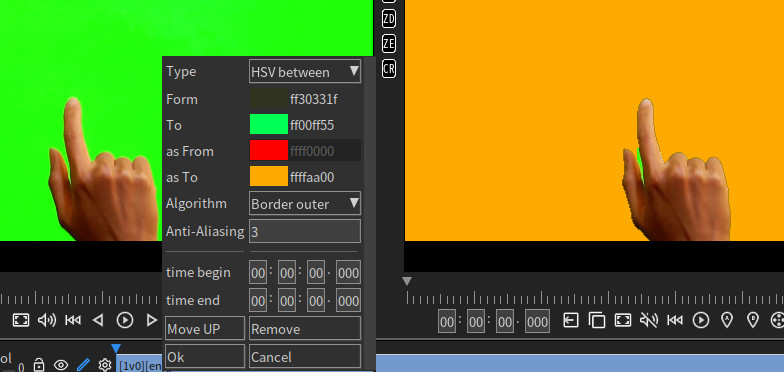
- border outer will search only outer border, will skip the image in T-shirt, and all visible blocked from outside.
- in example can see some green got keep, because visible blocked.
- Border polygon, split the border as polygon, include all connected.
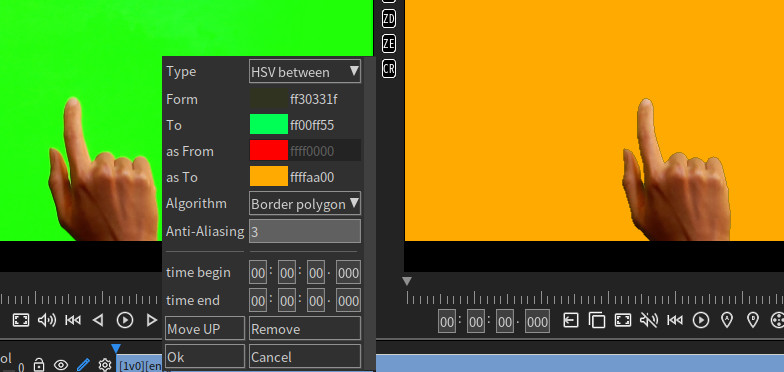
- border polygon will search all target as model, then set as target if is border(bounds connected), it need powerful device but will skip image in T-shirt and include the visible blocked.
- in example can see the some green now also list as target. is good for Chroma key video.
- Anti-Aliasing, the aa size
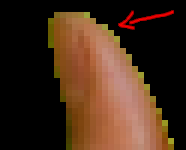
- aa will turn back the border color to it before.
- for example Yellow near Green in digital device will compose as new color Z, and we set the Green as replace source.
- then the v2mixer aa will guess "which color" + Green = "new color Z", and turn it back.
- the result will be the Yellow.
- aa also repair the transparent value of model edge for this size, if as is the full-transparent (the 0 in color selector).
- may make new edge because the model is polygon, please mail the picture to us get improve.
- note
- the HSV map, A,H,S,V all in working, for example:
- AHSV [0, 180, 10, 10] - [255, 220, 100, 100] map to [0, 180, 50, 10] - [255, 220, 100, 100]
- 0 for A of the From and the As From in color selector, 255 for A of the To and the As To in color selector.
- about A, 0 - 255 is the minimum and max, so as search mean all = no filter.
- 180 for H of the From and the As From, 220 for H of the the To and the As To...
- in color selector, H [180 - 220] is the color blue, in my only target to search.
- then S and V..
- now is replace as, the A [0 - 255] map to [0 - 255], unchanged. H [180 - 220] map to [180, 220] also unchanged, V same.
- but S [10 - 100] map to [50 - 100] is changed, it mean any value in 10-100 will map to 50-100 as result, so saturation more:
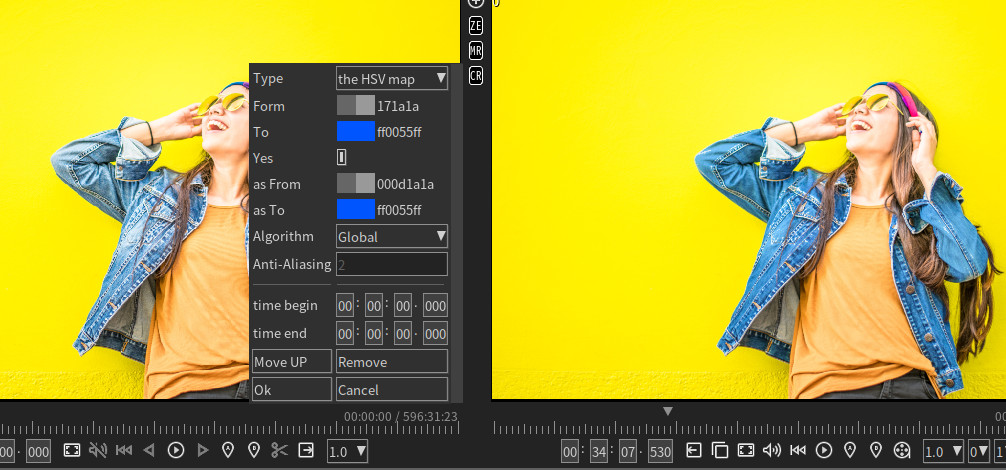
- here is example H [180 - 220] map to [0 - 20], got:
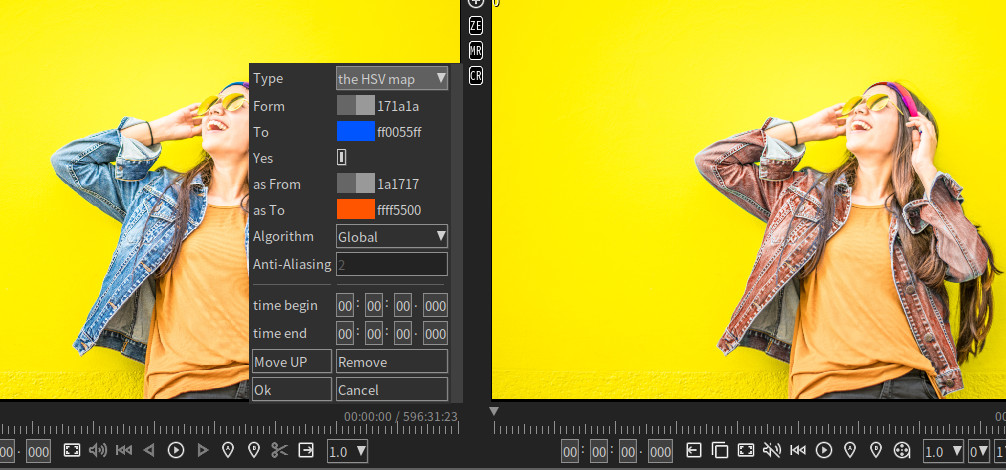
- example uncheck the YES, search for NOT to get shadow:
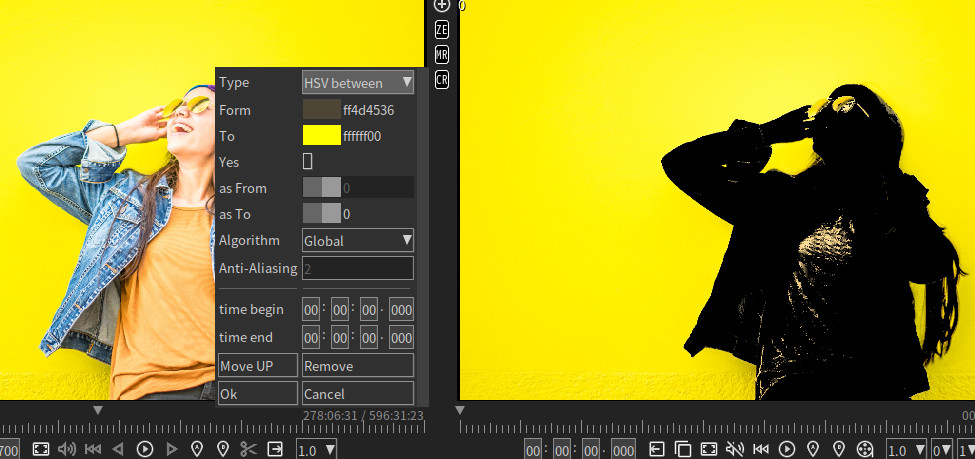
- you may see the magic/fuzzy select tools on elsewhere, to select what want and set an value to change. v2mixer open the From and the To, is more.
for the magic select can be add another target selected, in v2mixer just add another this Effect again to search and map next targets.
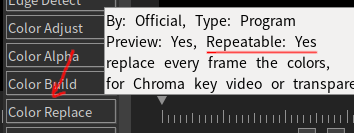
- in v2mixer, this effect repeat allow, it mean, add this effect again for "another target selected".
- last this effect may be HSV between, but next this effect can be new type of RGB is or RGB between, with new mode for Global or Border, should be powerful for motion object.
- and don't forget all effect have time begin/end, to set Effect A,B,C enable only timeX, then Effect D,E,F enable only timeY.
- in v2mixer, for speed reason the color selector base on RGB, it mean when set HSV[100,2,10] or HSV[100,3,10], always become HSV[120,3.85,10.2].
- because for now no web image can contain HSV[100,2,10] but not HSV[100,3,10], it mean most editor on personal computer even draw with HSV[100,2,10] there will become HSV[120,3.85,10.2].
- this doesn't mean RGB++ video format never exist, just out of v2mixer supported.